How to Download Mods from File Hostings (Sharemods & Modsfire)
Users often encounter difficulties when downloading mods hosted on third-party file-sharing platforms due to multi-step download procedures. This guide outlines the specific steps required to retrieve files from Modsfire.com and Sharemods.com after selecting a mod on our website.
Select a mod from our catalog and click any link provided in the Download Links section.
How to Download from Modsfire.com
- Navigate to the mod's page on the file host.
- Click the GENERATE LINK button.
- Wait for the DOWNLOAD LINK button to appear and Click it.
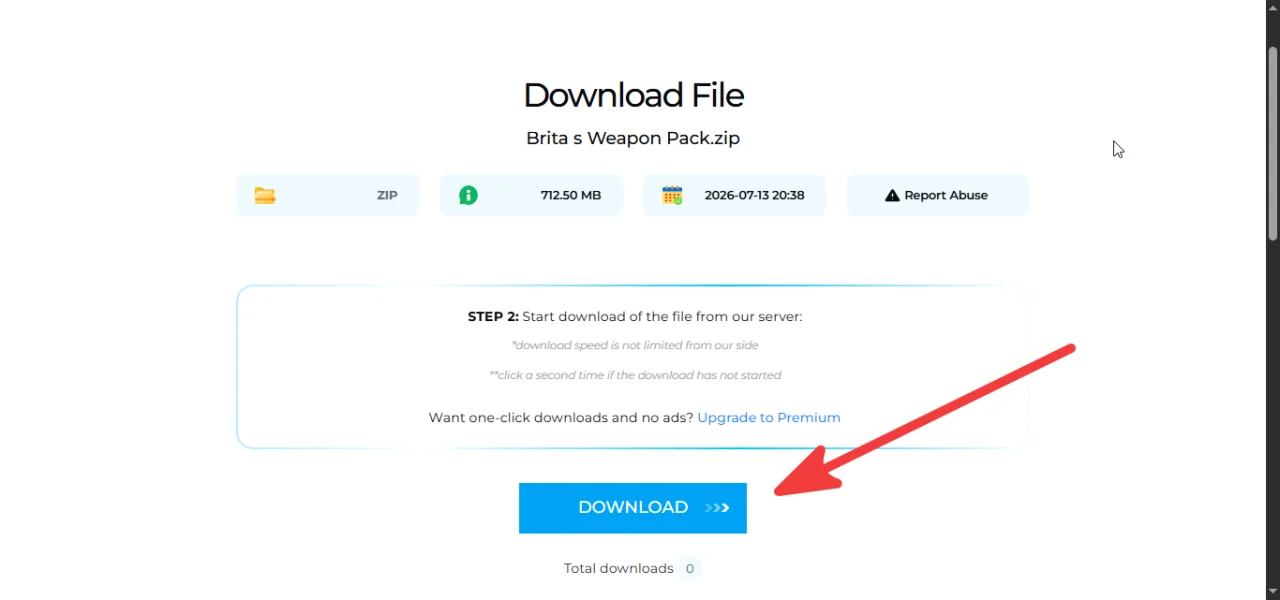
- You will be redirected to a new page.
- Click the DOWNLOAD button (or use the alternative link provided) to get file.
How to Download from Sharemods.com
- Navigate to the file host page.
- Click the DOWNLOAD LINK button.
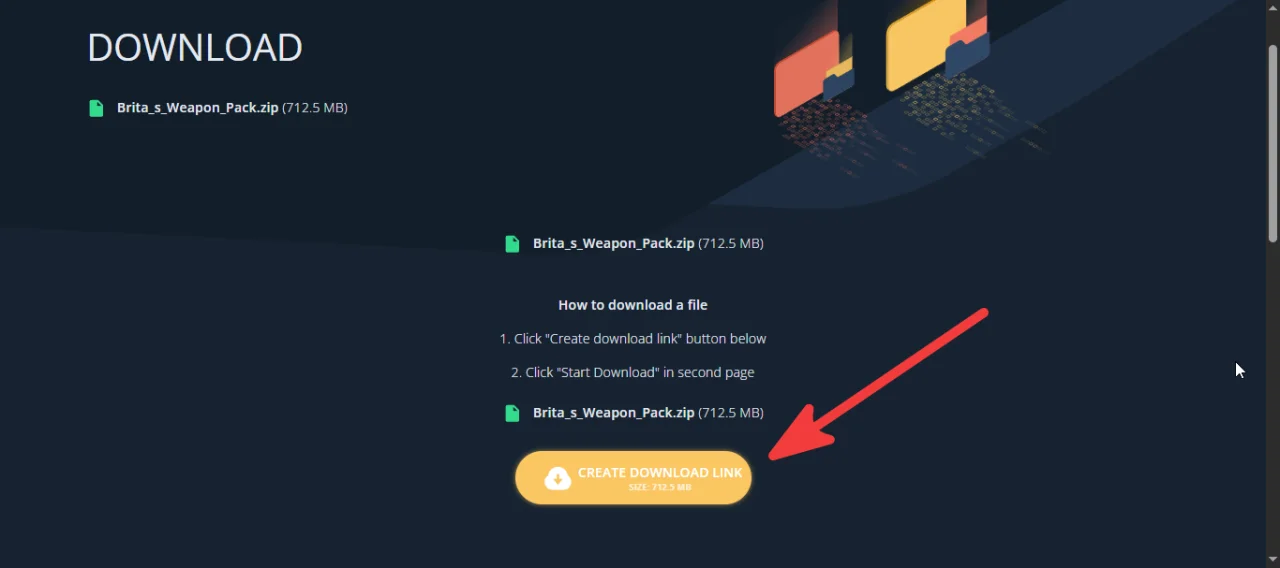
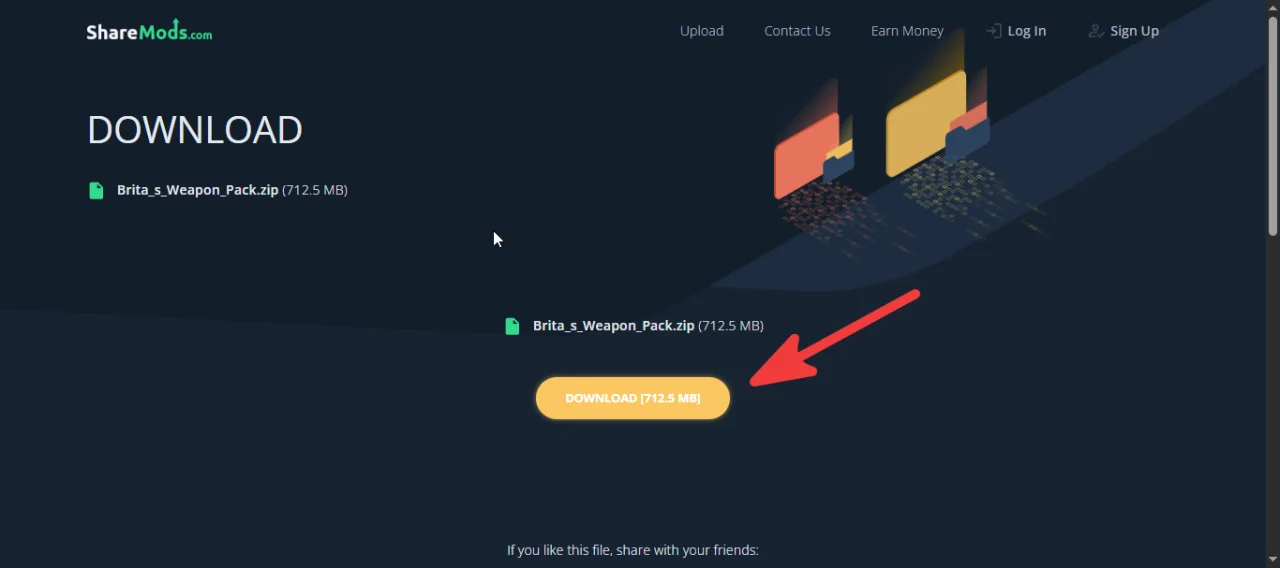
- Wait approximately 10 seconds for the system to generate the direct link.
- Click the DOWNLOAD button that appears to begin the download.
Troubleshooting
If a download fails or does not start, consider the following solutions:
- Switch mirrors: If one file host is unresponsive, use an alternative link provided in the mod's description.
- Change browsers: Some browsers handle redirect-based downloads differently. Try using a different browser to see if the issue persists.
- Use a VPN: Geographic restrictions or ISP throttling may block access to certain file hosts. A VPN can help bypass these limitations.
- Adjust ad blocker settings: Ad blockers can sometimes interfere with download scripts, but they are also necessary to prevent pop-ups. If the download button does not appear, try disabling your ad blocker. Conversely, if you encounter excessive redirects or suspicious ads, enable it.
Last Comments  ATZ → New Clothing Models [B42]
ATZ → New Clothing Models [B42] 2 months ago