Visuals and Audio Mods for Project Zomboid
![JB's Bugs In Lights [B42]](/upload/000/u1/0/2/3ffe7c34.webp "JB's Bugs In Lights [B42]")
![[42] Fences Fade (SP/MP)](/upload/000/u1/6/9/51306c09.gif "[42] Fences Fade (SP/MP)")
![Visible Door Damage [B42 MP]](/upload/000/u1/8/3/fc485470.webp "Visible Door Damage [B42 MP]")
![[B42.20.3+/B41]Smoking Sounds Overhaul](/upload/000/u1/3/e/73cd9b8b.webp "[B42.20.3+/B41]Smoking Sounds Overhaul")
![[B42.20] Carry Visible Items In Hands [WIP]](/upload/000/u1/4/c/2459351a.webp "[B42.20] Carry Visible Items In Hands [WIP]")
![More Damaged Objects [42MP]](/upload/000/u1/d/7/ec3cbaf5.webp "More Damaged Objects [42MP]")
![Fluffy Hair [B41 & B42ish]](/upload/000/u1/5/8/24f6d61f.webp "Fluffy Hair [B41 & B42ish]")
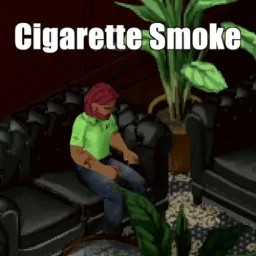
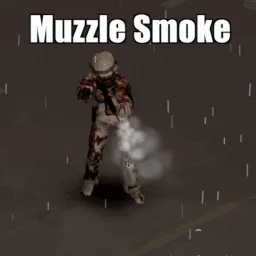
![[B42] Wind Sway](/upload/000/u1/a/6/ff4e3b95.webp "[B42] Wind Sway")
Let's be honest: Project Zomboid is terrifying, but after a while, those same old crunching noises and flat textures can pull you right out of the experience. Visuals and audio mods totally transform the grim vibe of the apocalypse without messing with the core rules you already know by heart. We're talking high-res textures, dynamic lighting tweaks, and bone-chilling sound overhauls that make every single corner you turn feel way more immediate and intense. If you want a world that actually looks and sounds like the end of days, grab the direct files right here.
Our library is maintained specifically for players who like to keep their files organized manually and want things to run flawlessly on GOG, DRM-free, and Non-Steam versions of the game. No forced updates, no headaches. To keep your modding hassle-free, use our built-in filter to instantly sort through files tailored for Build 40+, Build 41+, or Build 42+. Just a quick heads-up before you pack your game with heavy files: always verify the exact game sub-version you're running, not just the main build number. Even a tiny mismatch in a sound script or texture path can completely crash your save file on startup.
Explore Atmospheric & Immersion Categories
- Texture and Model Overhauls: High-res replacements for characters, zombies, and items that modernize the game's look.
- Lighting and Weather Enhancements: Adjustments to ambient light, fog density, and skyboxes for deeper atmospheric immersion.
- Audio and Soundtrack Replacements: Realistic sound effects for weapons, zombies, and ambient environment noises.
- UI and HUD Visual Tweaks: Stylistic changes to menus and overlays that improve readability and screen clarity.
- Animation Visuals: Refined visual feedback for character movements, weapon handling, and zombie behaviors.
Keep in mind that heavy texture packs can tank your frame rate if your rig isn't up for it, so try not to pile on too many massive overhauls at the exact same time. Always pay attention to your load order to avoid weird silent zones or broken UI elements. Take a look at the mods highlighted above, pick the adjustments that fit your setup, and make your next run feel like a horror movie.
 ATZ → New Clothing Models [B42]