Mod «Armed Zeds [B41/B42]» for Project Zomboid
![Armed Zeds [B41/B42]](/upload/000/u1/b/b/b42-photo-big.webp "Armed Zeds [B41/B42]")
Armed Zeds adds a configurable chance for zombies to spawn with firearms. Armed zombies can aim, fire at players from a distance, and utilize cover before shooting, while retaining standard melee behaviors when close. The mod supports both Build 41.78 and Build 42.20, automatically selecting the correct implementation files.
- Visible aiming and firing animations for handguns, shotguns, rifles, and automatic weapons
- Gunshots cause bullet wounds, bleeding, and lodged bullets
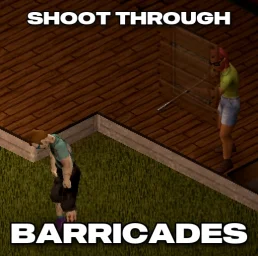
- Zombies check walls, doors, windows, and other cover before firing
- Limited ammunition, weapon-specific fire rates, and automatic bursts
- Gunshot sounds attract nearby zombies
- Optional bullet tracers and muzzle flashes
- Killing an armed zombie allows looting the specific gun and remaining ammunition
- Compatible with single-player, local co-op, and multiplayer
Compatibility:
- Automatically integrates compatible conventional firearms from weapon mods; tested with Brita's Weapon Pack and Arsenal(26) GunFighter Main 2.0
- Weapon selection remains balanced regardless of pack size; excludes bows, crossbows, launchers, flamethrowers, BB/paintball guns, fixed weapons, and explosives
- Compatible with zombie outfit, clothing, and texture mods
- Mods replacing zombie AI or animations may require a compatibility patch
- Integrates with Parry Bullets (Build 41) to allow damage cancellation and endurance consumption on successful parries
Sandbox Options:
- Armed-zombie spawn chance
- Ratio of vanilla to modded guns
- Accuracy, damage, and maximum range adjustments
- Limited or unlimited ammunition settings
- Fire rate and first-shot grace period configuration
- Gunshot noise, tracer effects, and diagnostic logging toggles
Requirements:
- Requires Project Zomboid Build 41.78.x or Build 42.20
- No external weapon packs required
- In multiplayer, server and clients must enable identical weapon mods for correct synchronization
Technical Information:
- Workshop ID: 3762864726
- Mod ID: ArmedZeds
This Gameplay modification supports Steam, GOG, and standalone releases.
Unpack the downloaded file and move the mod folder to the `User/Zomboid/mods` directory. Make sure to review the original description compatibility notes.
Unpack the downloaded file and move the mod folder to the `User/Zomboid/mods` directory. Make sure to review the original description compatibility notes.
Mod Info
Category:
Version:
26.07.2026
Size:
742.8 Kb
Multiplayer:
Yes
Added by:
Download Links
File Security
SHA-256:
008b0d6bc1c4c61ed82010bd2886eac62cebe38ce370b1a94d2c82223d589696
VT Detection:
0/65
VT Report:
![[B41/B42.13] I Don't Need A Lighter](/upload/000/u1/2/9/4915a096.webp "[B41/B42.13] I Don't Need A Lighter")
Last Comments
 ATZ
→
New Clothing Models [B42]
ATZ
→
New Clothing Models [B42]
ATZ
→
New Clothing Models [B42]
19 days ago