Mod «Better Vehicle Dynamics» for Project Zomboid
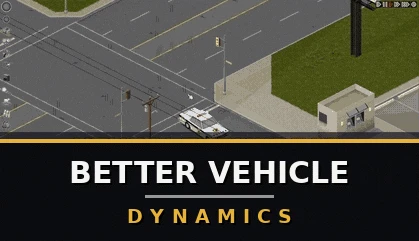
This mod overhauls vehicle drivetrain and traction mechanics for Project Zomboid Build 42. It introduces a torque-curve driven engine, surface- and weather-aware grip, and optional realism systems that are sandbox-tunable and multiplayer-safe.
- Torque-curve acceleration: engines pull from a real power curve
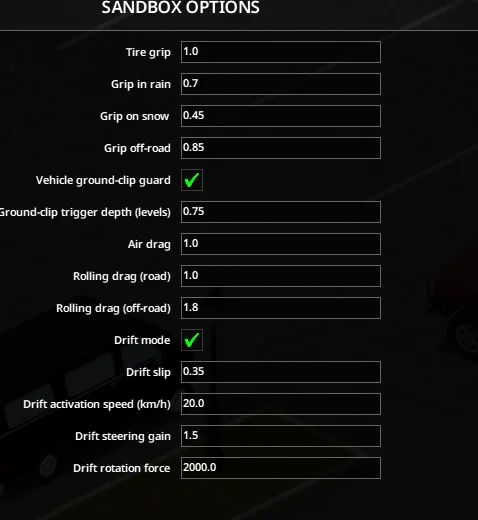
- Surface & weather grip: independent traction on sealed road, rain, snow, and off-road
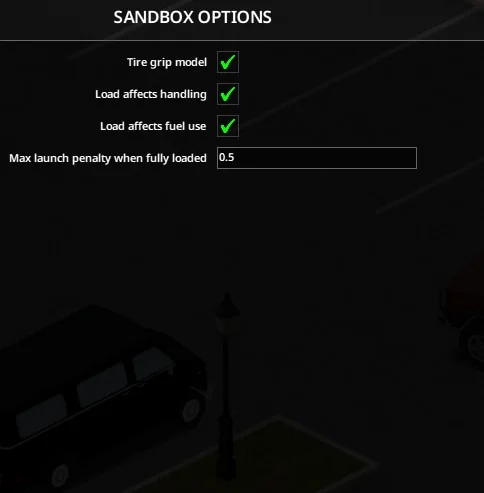
- Tyre-type grip model: worn, standard, and modern tyres have distinct grip per surface
- Load affects handling: heavily loaded vehicles are slower to accelerate
- Load affects fuel: hauling heavy cargo increases fuel consumption
- Configurable drag: separate tunable knobs for air drag and rolling resistance
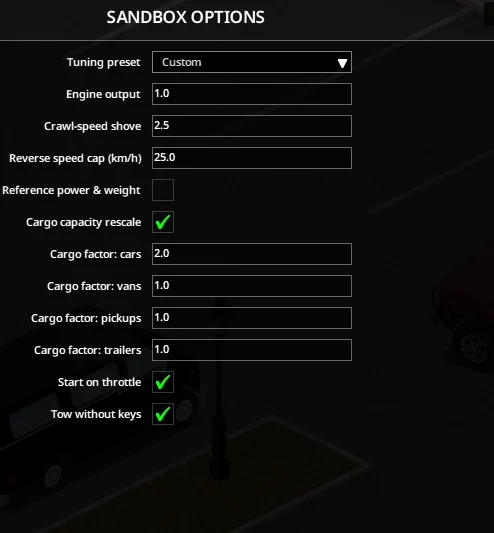
- Reference power & weight (opt-in): researched HP/mass figures for vanilla and modded vehicles
- Cargo-capacity rescale: per-body-type storage multipliers
- Drift mode (opt-in): bindable key to break rear traction for arcade sliding
- Tyre marks: ground decals appear when tyres lose traction and fade over time
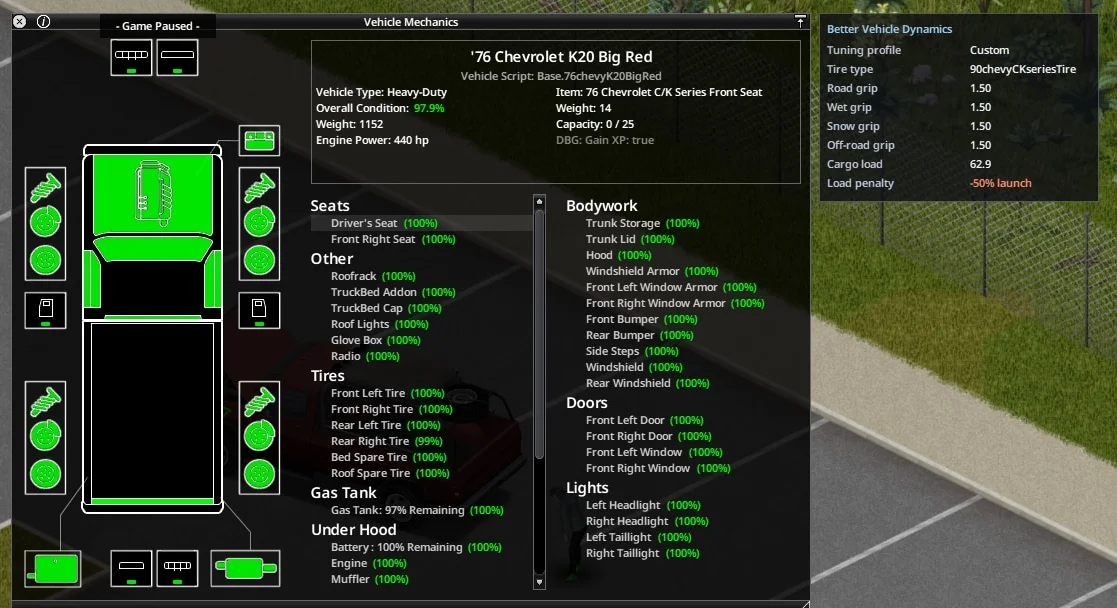
- Vehicle info panel: docked readout showing active profile, grip, tyre type, and cargo load
- Ground-clip guard: server-side safety net to prevent vehicles from sinking into the ground
All settings are exposed in Sandbox Options under Handling, Tyres & Load, Drivetrain, and Readout & Misc pages. Defaults aim for a grounded feel but can be adjusted toward arcade or hardcore styles.
Installation:
- Subscribe to the mod on Steam Workshop
- Navigate to the mod folder:
- Steam\steamapps\workshop\content\108600\3728775267\mods\BetterVehicleDynamics\B42.18_Manual_Install\
- Copy the zombie sub-folder into your Project Zomboid install directory (right-click Project Zomboid in Steam → Manage → Browse local files)
- Restart Project Zomboid
- Recopy the zombie folder after any Project Zomboid game update
Dedicated Server Installation:
- Copy the entire zombie sub-folder from into the server's
- B42.18_Manual_Install\
directory- <server>/java/zombie/
- Ensure both the server and all connecting clients have performed the manual install to prevent packet desync warnings
Compatibility:
- Works alongside vehicle-skin and content mods
- Run only one vehicle-physics overhaul mod at a time
- Requires Build 42.18+
Technical Information:
- Workshop ID: 3728775267
- Mod ID: BetterVehicleDynamics
Author Links:

Mod Info
Category:
Version:
22.06.2026
Size:
0.22 MB
Added by:
Compatible with Project Zomboid
Download Links
File Security
SHA-256:
14b6b09de0ee68e36f0484c1479561abc004507c059c7b6d934770e6272b7bc8
VT Detection:
0/65
VT Report:
![[B42/B41] The Motorious Zone Vehicle Pack](/upload/000/u1/f/3/f2c53fdc.webp "[B42/B41] The Motorious Zone Vehicle Pack")
![Dash Roamer [B42.20]](/upload/000/u1/3/a/a3a5a42b.webp "Dash Roamer [B42.20]")
![[Ki5]AM General Tanker Functionality](/upload/000/u1/2/7/627b9c51.webp "[Ki5]AM General Tanker Functionality")
Last Comments  ATZ → New Clothing Models [B42]
ATZ → New Clothing Models [B42] 2 months ago