Mod «Auto Mechanics» for Project Zomboid
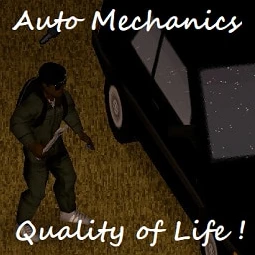
Auto Mechanics enhances vehicle maintenance and training for Project Zomboid Build 42 and later. It is not compatible with Build 41 or earlier versions.
How to Train:
- Obtain a Screwdriver, Wrench, Lug Wrench, and Jack
- Read the manual associated with the specific car model
- Access the vehicle mechanics menu, right-click any mounted part, and select «Train Mechanics»
- Ensure sufficient free space around the vehicle to avoid pathfinding stalls
- Note: Training more than once per day per car yields no additional benefits
Features:
- Continue previously interrupted training sessions
- Uninstall all parts with a single click
- Inflate all tires with a single click
- Broken items are automatically dropped upon uninstallation
Mod Options:
- Set a waiting timer between mechanical actions to accommodate high-latency multiplayer servers
- Configure a threshold for uninstall attempts based on the risk of breaking parts (default: 100/unrestricted)
- Toggle pause at the end of actions
- Enable retry logic for vanilla Uninstall and Install actions until success
- Verbose logging options available for debug analysis only (may reduce performance)
Sandbox Options:
- Enforce failure threshold server-side in multiplayer
- The system uses the lowest (most restrictive) value between client mod options and server sandbox options
Tips and Compatibility:
- Incompatible with mods containing invalid fixing recipes (may cause errors in ISVehicleMechanics.lua)
- Disable re-equipment before using «Train Mechanics» if using the Tidy Up Meister mod
- Can be safely added to or removed from existing saves
- Client wait cycles can be enforced via sandbox options using compatible third-party mods
Technical Information:
- Workshop ID: 3387539308
- Mod ID: AutoMechanics
Author Links:
Works on Steam, GOG, and Non-Steam versions. Installation method: Manual.
All you need to do is copy the unzipped mod files into your `C:\Users\YourName\Zomboid\mods` directory. Don't forget to check the mod description in case of special requirements.
All you need to do is copy the unzipped mod files into your `C:\Users\YourName\Zomboid\mods` directory. Don't forget to check the mod description in case of special requirements.
Mod Info
Category:
Version:
17.08.2026
Size:
530.2 Kb
Added by:
Compatible with Project Zomboid
Download Links
![[B42/B41] The Motorious Zone Vehicle Pack](/upload/000/u1/f/3/f2c53fdc.webp "[B42/B41] The Motorious Zone Vehicle Pack")
![Dash Roamer [B42.20]](/upload/000/u1/3/a/a3a5a42b.webp "Dash Roamer [B42.20]")
![[Ki5]AM General Tanker Functionality](/upload/000/u1/2/7/627b9c51.webp "[Ki5]AM General Tanker Functionality")
![Vehicle Armor Crafting [B42]](/upload/000/u1/6/1/da756059.webp "Vehicle Armor Crafting [B42]")
Last Comments  ATZ → New Clothing Models [B42]
ATZ → New Clothing Models [B42] 2 months ago