Mod «Tidy Up Meister» for Project Zomboid
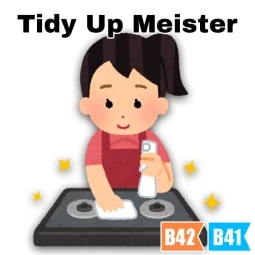
This mod automatically returns equipment to its original state or container upon completion of actions such as dismantling, crafting, or interacting with items. It complements the vanilla auto-return feature in Build 42 by supporting additional actions like cocking guns, handling magazines, and restoring placed items.
The mod is compatible with Build 41 and 42, including multiplayer. Settings can be toggled via the context menu or Mod Options.
- Automatically restores equipment after actions like dismantling
- Returns items to their original container if they were stored there
- Toggle re-equipment behavior per character via context menu
Additional Actions (configurable via Mod Options):
- Build actions (Metalwork/Carpentry)
- Firearms actions (upgrade, magazine, bullets, rack)
- Fitness actions
- Eating actions (including lighter/match usage)
- Taking pills
- Reading
- Medical actions
- Lighting fires
- Refueling
Options:
- Force Re-Equip: Forces re-equipping of hand-held items even if interrupted
- Use Context Menu: Enables toggling re-equipment via context menu
- Restore Original Location: Returns items to their exact placement location on the ground
Supported Mods:
- Bath Towels Overhaul
- Better Lockpicking
- Common Sense
- Inventory Tetris
- Picking Meister (B42 only)
- Skill Recovery Journal
Technical Information:
- Workshop ID: 2769706949
- Mod ID: P4TidyUpMeister
Author Links:
Works on all PC versions (Steam/GOG/Standalone). Requires manual setup.
Mod Info
Category:
Version:
11.03.2026
Size:
0.83 MB
Added by:
Download Links
File Security
SHA-256:
a1f0f07db6395fd56ac6df4f9dc24cc05d75d32801ae5028490191b58a9dcfff
VT Detection:
0/65
VT Report:
![Building Menu [B41.78] - Daddy Dirkie Dirk Tiles Addon](/upload/000/u1/f/0/c149e15c.webp "Building Menu [B41.78] - Daddy Dirkie Dirk Tiles Addon")
![[B42/41] Draw On The Map - Free Hand Drawing](/upload/000/u1/a/a/7cc102b2.webp "[B42/41] Draw On The Map - Free Hand Drawing")
Last Comments
 ATZ
→
New Clothing Models [B42]
ATZ
→
New Clothing Models [B42]
ATZ
→
New Clothing Models [B42]
13 days ago