Mod «Vanilla vehicles animated» for Project Zomboid
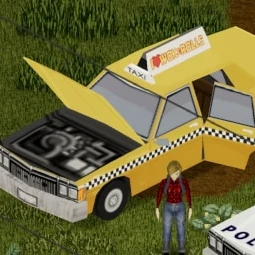
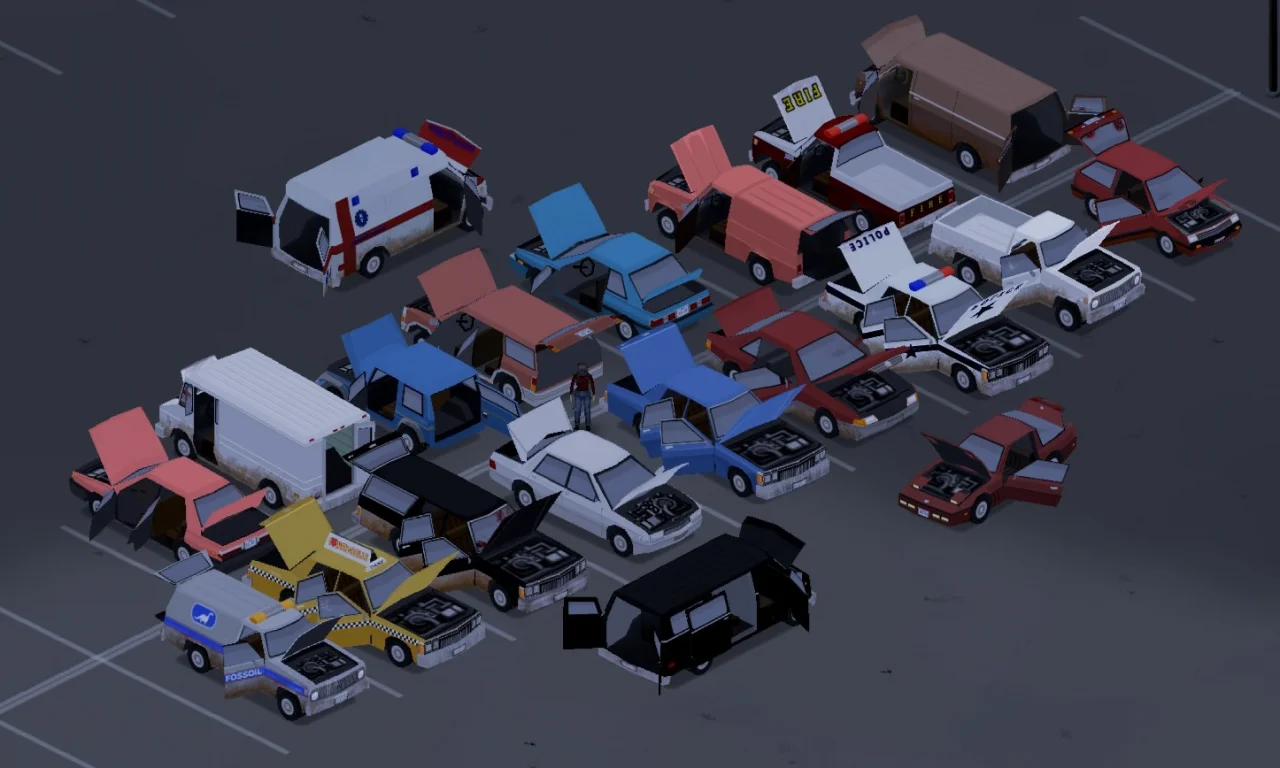
This mod reworks vanilla vehicle models to support animations, such as opening doors, hoods, and trunks. It splits vehicle models into multiple objects and adds code to display these animations. As a visual improvement, removed or torn-off parts become visually missing rather than appearing as tinted grey blocks.
The mod is safe to add or remove on existing saves and servers, as it only affects vehicle display and does not interfere with save data.
Multiplayer Note: By default, only the local player sees animations. Remote players update part states only when moving far enough from the vehicle and returning. To synchronize animations for all clients, additional server-side mods are required (links provided below).
Optional Modules:
- Vanilla Vehicles Animated: Main module. Required for functionality.
- disable passenger rendering (VVA_cullseats): Prevents character model rendering in the interior to avoid clipping issues when animations for seat switching or aiming are not set up.
- Standard Vehicle Upgrades Patch (VanillaVehiclesAnimated_SVU): Ensures armor plates from Standard Vehicle Upgrades animate correctly with doors.
- Snappy Doors: Removes animated transitions, causing doors/hoods/trunks to snap open/closed instantly for consistency with non-animated building doors or specific synchronization mods.
- VVA_transparentWindows: Included module.
Deprecated Modules:
- ApocalypticallySlowDoors (VVA_slowdoors): Previously used in Build 41 to fix animation bugs with Fancy Handwork.
- Pikamy's Delighter: Build 42 specific texture change for Lady Delighter van seats.
Compatibility: Supports reskins based on vanilla models (e.g., Donny's Company Cars) and Vanilla Vehicle Enhancer. Modded vehicles not based on vanilla models are excluded from this package and may require separate patches.
Technical Information:
- Workshop ID: 3281755175
- Mod IDs: VanillaVehiclesAnimated, VanillaVehiclesAnimated_SVU, VVA_cullseats, VVA_PikamyDelight, VVA_slowdoors, VVA_snapDoors, VVA_transparentWindows
Mod Info
Download Links
![[B42/B41] The Motorious Zone Vehicle Pack](/upload/000/u1/f/3/f2c53fdc.webp "[B42/B41] The Motorious Zone Vehicle Pack")
![Dash Roamer [B42.20]](/upload/000/u1/3/a/a3a5a42b.webp "Dash Roamer [B42.20]")
![[Ki5]AM General Tanker Functionality](/upload/000/u1/2/7/627b9c51.webp "[Ki5]AM General Tanker Functionality")
 ATZ → New Clothing Models [B42]