Mod «Moodle Framework» for Project Zomboid
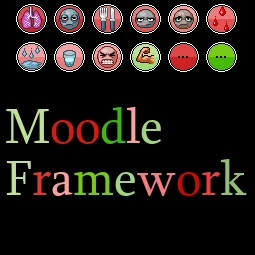
Provides a framework for modders to easily add and manage custom moodles in Project Zomboid. It replaces direct access to
Configuration:
- Option to set the reference color for moodles to white for better distinction (default enabled)
- Options to deactivate various displays to enhance mod compatibility
- Supports modded backgrounds with small extensions
For Modders:
- Add a 30x30 pixel PNG texture with alpha enabled to (e.g.,
- media\ui
)- Moodle_*.png
- Define translations in
- media\lua\shared\Translate\EN\Moodles.json
- Use and
- require "MF_ISMoodle"
to create the moodle object- MF.createMoodle(*)
- Update values using where value is between 0.0 and 1.0
- MF.getMoodle(*, playerNum):setValue(value)
- Always include to ensure SplitScreen compatibility
- playerNum
Limitations:
- Oscillations may depend on performance as they are not based on vanilla values
Technical Information:
- Workshop ID: 3396446795
- Mod ID: MoodleFramework
Author Links:
Mod Info
Category:
Version:
16.08.2026
Size:
91.2 Kb
Multiplayer:
Yes
Added by:
Compatible with Project Zomboid
Download Links


![Guaranteed Modded Map Loot Re-Spawn [B42]](/upload/000/u1/9/5/747e801d.webp "Guaranteed Modded Map Loot Re-Spawn [B42]")
Last Comments  ATZ → New Clothing Models [B42]
ATZ → New Clothing Models [B42] 2 months ago