Mod «Nick's Turn Off Fridges» for Project Zomboid

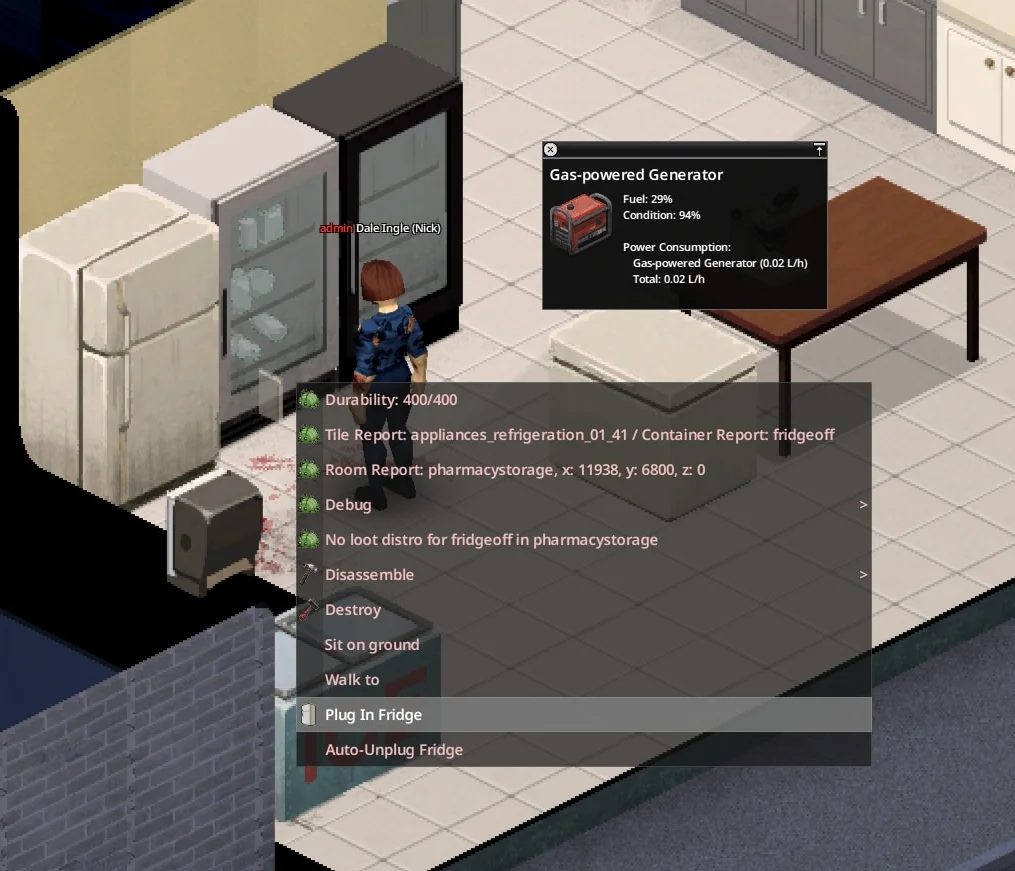
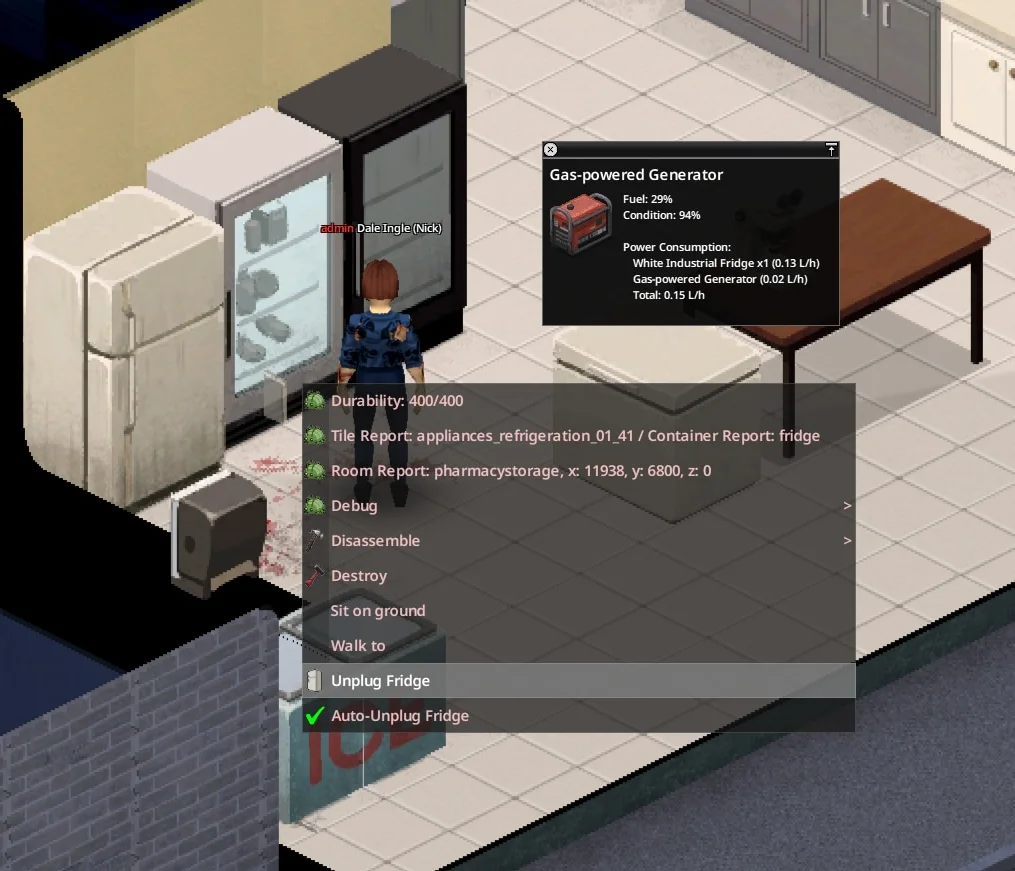
Nick's Turn Off Fridges allows players to manually or automatically unplug refrigerators and freezers to manage power consumption. Users can right-click an appliance to select «Unplug Fridge» or «Unplug Freezer,» causing the character to physically flip the switch. Selecting «Plug In Fridge» restores power and generator connectivity. Alternatively, the «Auto-Unplug Fridge» option enables per-appliance automation, allowing specific units to manage their own power state independently of others.
- Compatible with Build 42 in Singleplayer, Co-op, and Dedicated Servers
- Safe to add to existing saves
- Supports modded fridges and freezers using standard base game container types
- Includes translations for Spanish, Portuguese, French, Italian, German, Czech, Norwegian, Finnish, Indonesian, Catalan, Chinese, Korean, Russian, Ukrainian, Turkish, Hungarian, and Thai
Important: All appliances must be plugged back in before removing the mod. Unplugged states are stored on the appliance itself; if the mod is disabled while a unit is unplugged, it will remain inert without power draw or cooling until the mod is reinstalled.
Technical Information:
- Workshop ID: 3778868211
- Mod ID: NicksTurnOffFridges
Mod Info
Download Links
File Security
![Starving Zombies: Realism [B42.20]](/upload/000/u1/2/0/c7034886.webp "Starving Zombies: Realism [B42.20]")

![Companion Dogs [ALPHA]](/upload/000/u1/2/a/27f7dccc.webp "Companion Dogs [ALPHA]")
![[B42] Bandits NPC](/upload/000/u1/7/7/116be89f.webp "[B42] Bandits NPC")
 ATZ → New Clothing Models [B42]