Mod «PZ Pulse» for Project Zomboid
Edited on: 18:02 .
Reason: The mod updated to version 03.09.2026
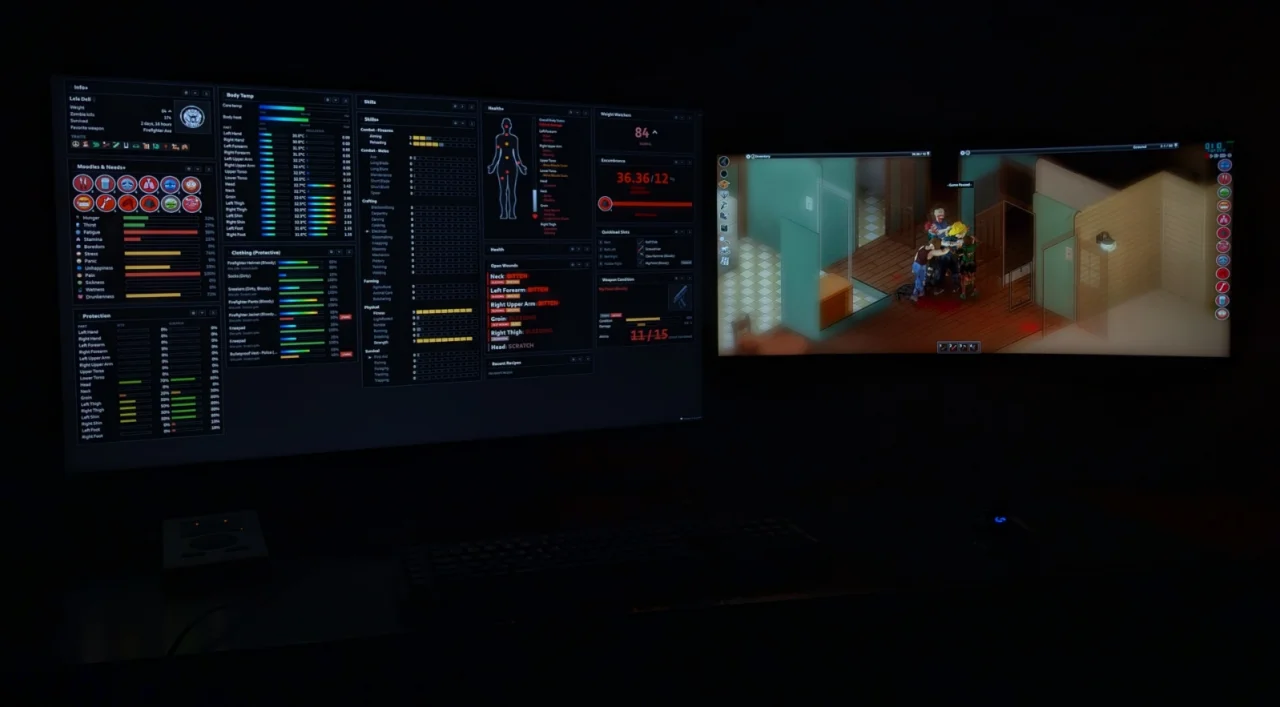
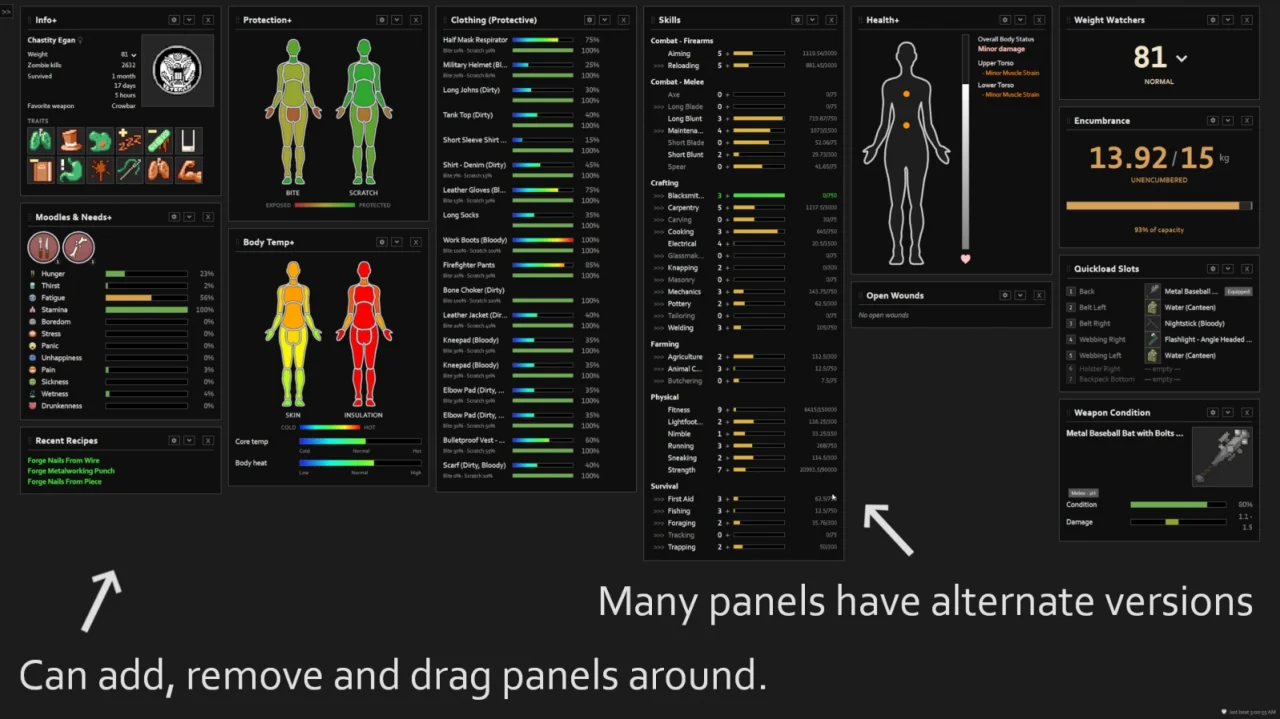
PZ Pulse is a live status dashboard for Project Zomboid Build 42 that displays character details in an external browser window. It provides real-time updates with an adjustable refresh rate and requires no network connections, operating entirely locally.
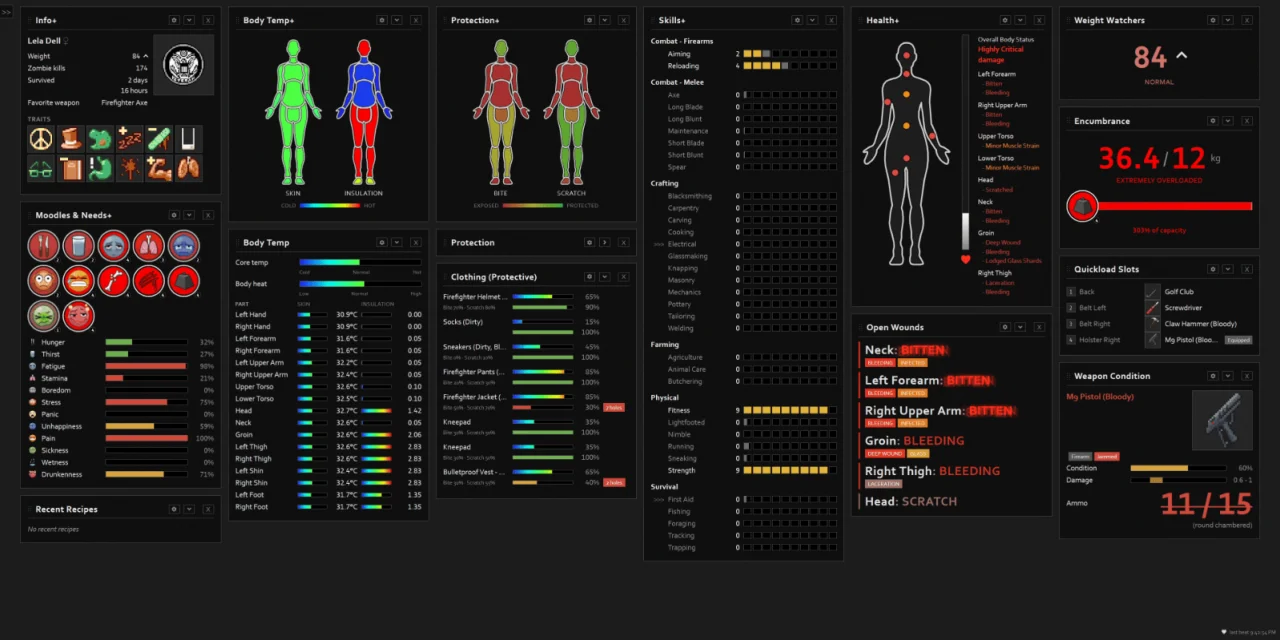
Available Panels:
- Info: Name, profession, traits, weight, favorite weapon, kills, and time survived
- Skills/XP: Skill levels, progress to next level, with level-up and XP flashes
- Health: Overall and per-body-part damage and wound flags
- Protection: Bite and scratch defense per body part from clothing
- Body Temperature: Core temperature, body heat, and per-part skin temperature/insulation
- Moodles & Needs: Full HUD moodle stack plus hunger, thirst, fatigue, stress, panic, etc.
- Weapon Condition: In-hand durability, sharpness, jam/ammo/chamber status, and attachments
- Clothing: Per-garment condition, holes, and protection values
- Quickload Slots: Equipment hotbar loadout
- Encumbrance: Carry load vs. capacity with HeavyLoad tier
- Open Wounds: Triage list of active, untreated injuries
- Recent Recipes: Transient notes for newly learned recipes
Customization:
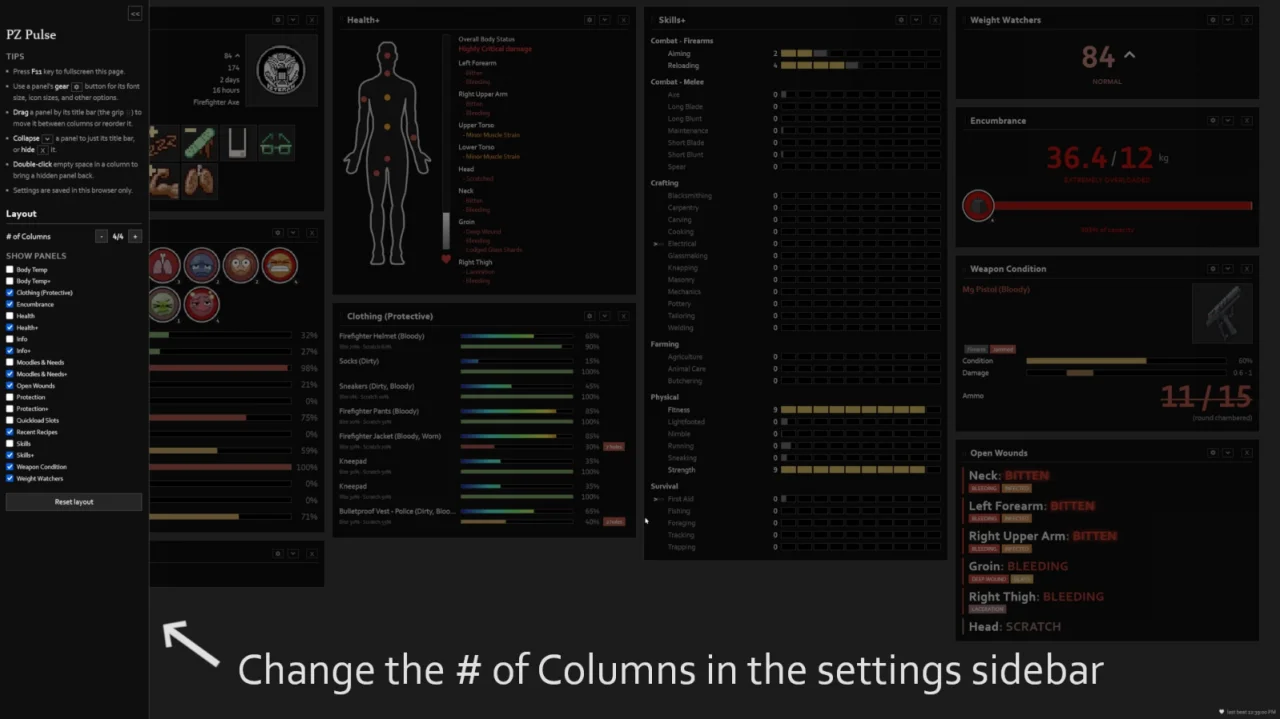
- Drag panels by title bar to move between columns or reorder
- Adjust column count and show/hide specific panels
- Configure per-panel font and icon sizes, animation toggles, and flash timings
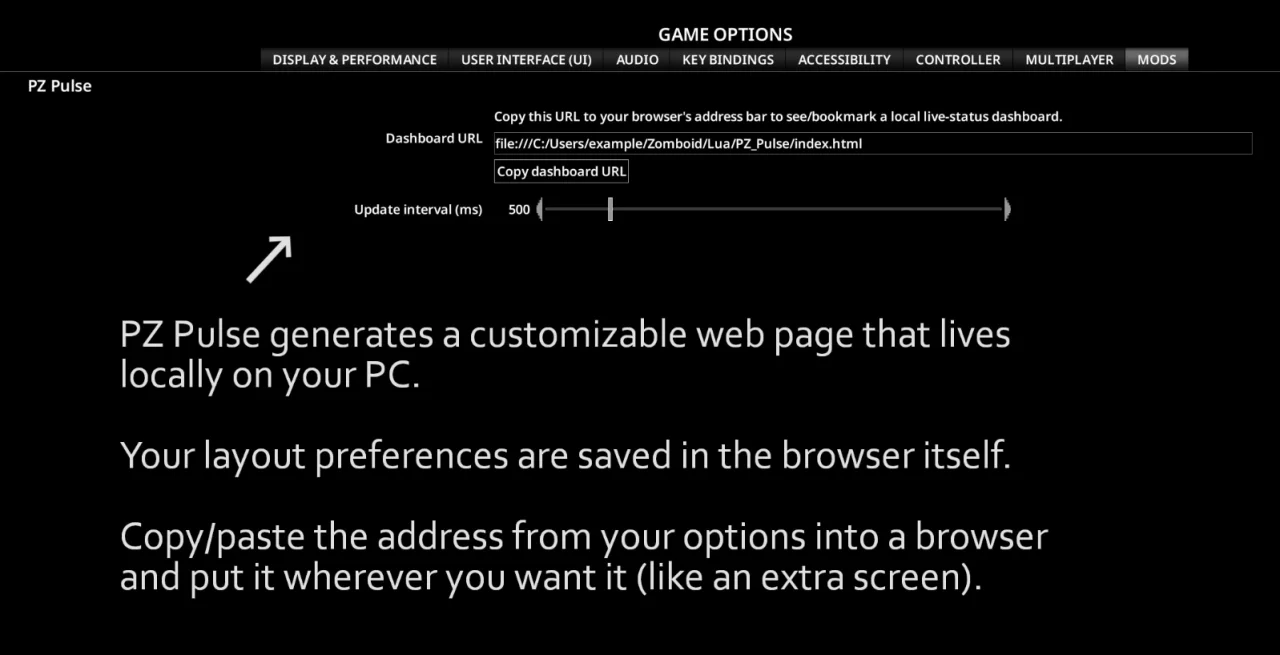
- Layout preferences are saved in the browser
Usage Instructions:
- Enable the mod and load a save
- Open the mod's options screen and click Copy dashboard URL
- Paste the URL into a browser address bar and bookmark it
- Drag the page to a second monitor (press F11 for fullscreen)
Notes:
- Read-only interface; not interactive
- Requires a second monitor or spare window for optimal use
- Compatible with Singleplayer and Multiplayer
- No dependencies required
- Supports third-party extensions via API
Technical Information:
- Workshop ID: 3753700423
- Mod ID: PZ_Pulse
Author Links:
This modification works on Steam, GOG, and standalone releases. Requires manual installation.
Just copy the extracted folder into your `C:\Users\YourName\Zomboid\mods` directory. It's always a good idea to read the author's notes in case of special requirements.
Just copy the extracted folder into your `C:\Users\YourName\Zomboid\mods` directory. It's always a good idea to read the author's notes in case of special requirements.
Mod Info
Category:
Version:
03.09.2026
Size:
583.2 Kb
Added by:
Compatible with Project Zomboid
Download Links
Version 21.08.2026 : Download
You May Also Like



![Neat Building [B42]](/upload/000/u1/9/f/f276ad9b.webp "Neat Building [B42]")
Last Comments  ATZ → New Clothing Models [B42]
ATZ → New Clothing Models [B42] 2 months ago