Mod «PZ Map» for Project Zomboid
Edited on: 19:46 .
Reason: The mod updated to version 06.09.2026
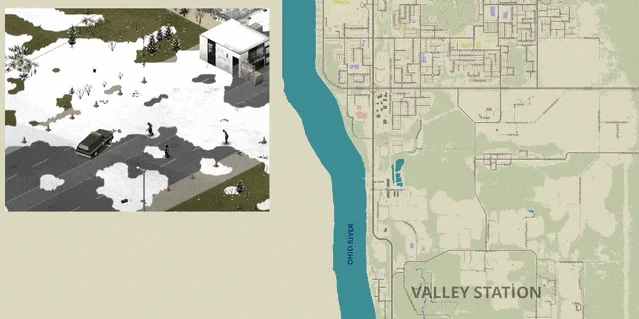
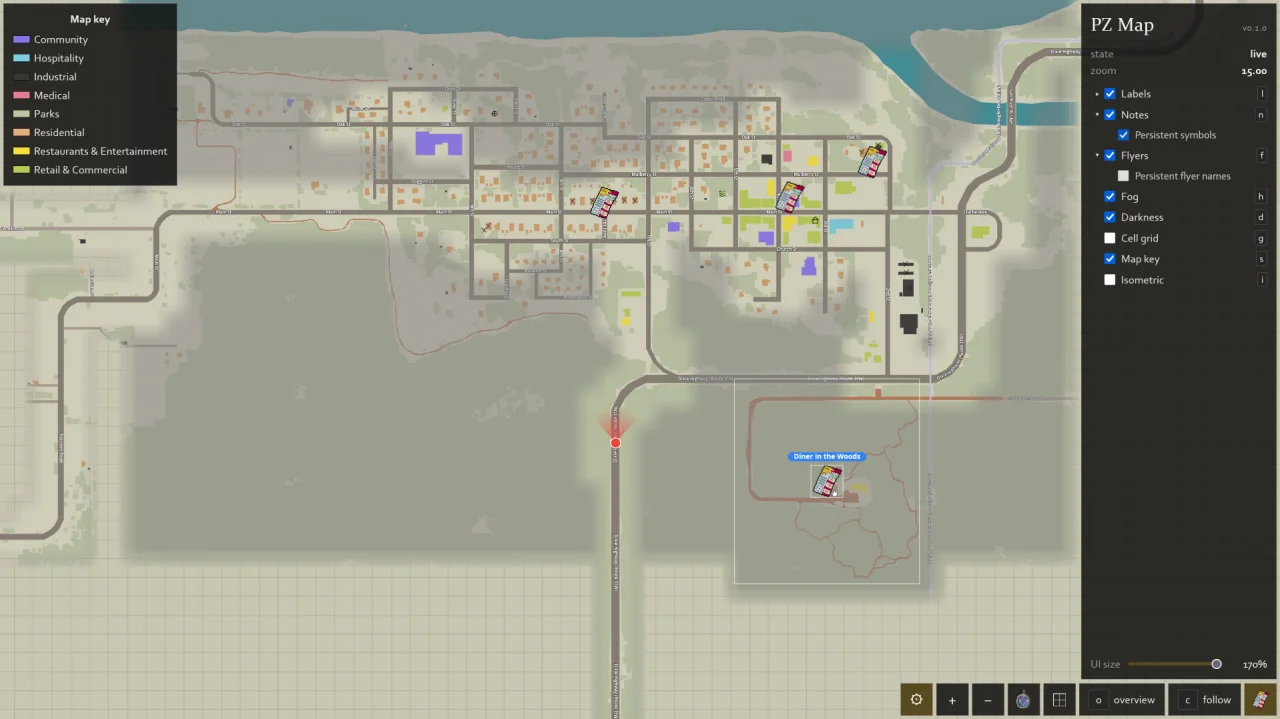
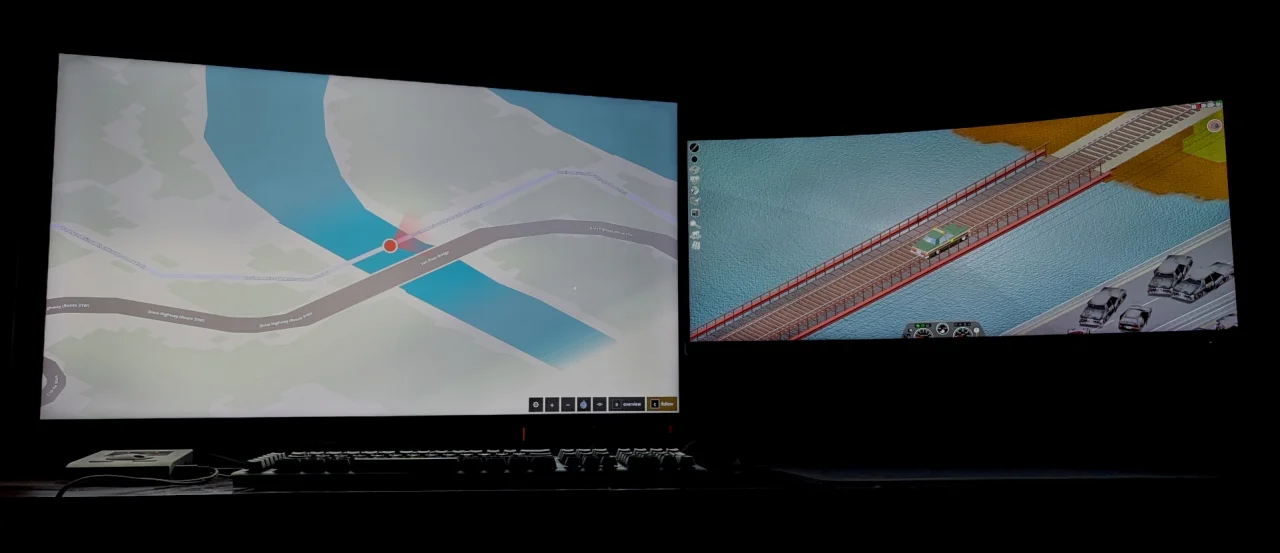
PZ Map displays the live in-game map on a second screen or separate browser window, keeping the main view unobstructed. It mirrors the zoom-based detail of the vanilla map, including streets, place names, forests, and water. The player's position is tracked in real time, and fog of war is lifted as areas are explored, maps are read, or flyers are found. In-game map notes appear dynamically.
- Isometric view: toggles to the game world's tilted perspective
- Map key: displays the vanilla building and land-use color legend
- Flyers and brochures: icons and labels are shown, but not content
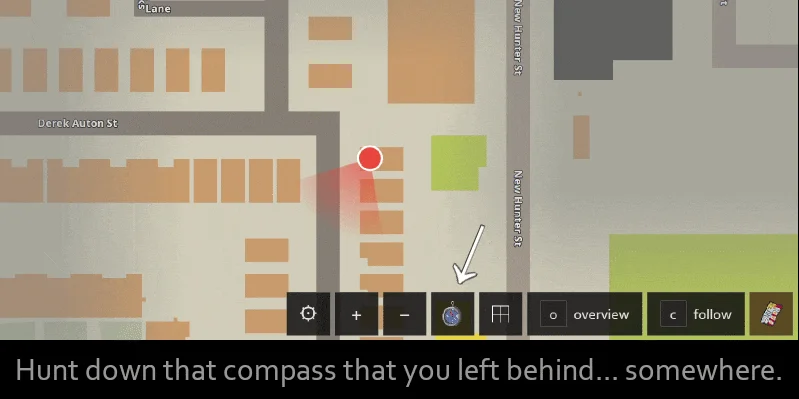
- Direction indicator: shows heading if a compass is in inventory
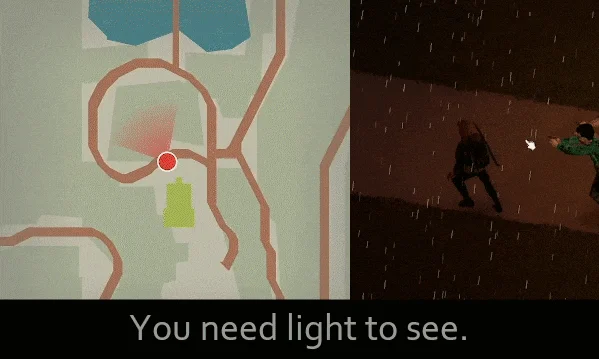
- Darkness overlay: requires a light source to view the map clearly
- Follow mode: camera centers on the player marker during movement
- Optimized performance
Features are customizable. Cell grid, labels, notes, fog, and darkness can be toggled independently. UI size and map key scale are adjustable via a slider. Layout preferences are saved in the browser.
Installation and Usage:
- Enable the mod and load a save
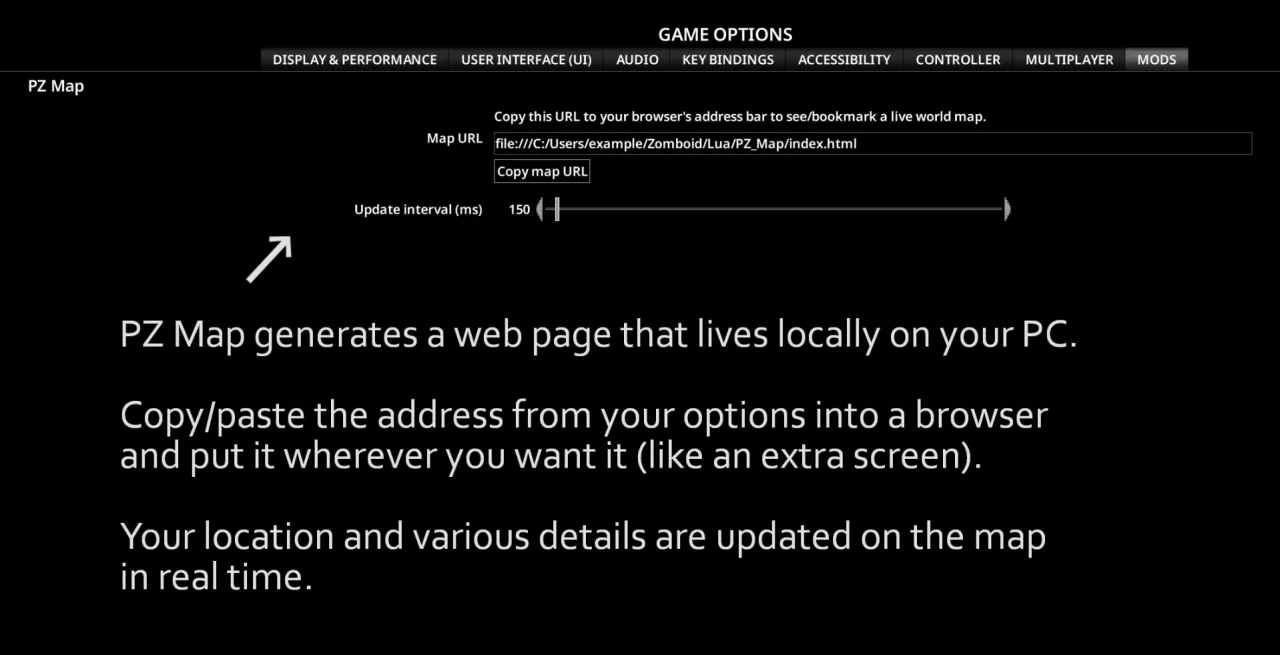
- Open the mod options screen and click Copy map URL (or copy the URL field)
- Paste the URL into a browser address bar and bookmark it
- Move the browser window to a second monitor and press F11 for fullscreen
- The map updates in real time; refresh rate is adjustable in mod options
Notes:
- The interface is read-only and non-interactive
- Requires a second monitor or spare window for optimal use
- Compatible with Project Zomboid Build 42 only
- No dependencies required
- Supports singleplayer and multiplayer
- Operates locally from the Zomboid\Lua\PZ_Map folder with no network connections or server contact
Technical Information:
- Workshop ID: 3770149036
- Mod ID: PZ_Map
Mod Info
Download Links
Version 23.07.2026 : Download



![Neat Building [B42]](/upload/000/u1/9/f/f276ad9b.webp "Neat Building [B42]")
 ATZ → New Clothing Models [B42]